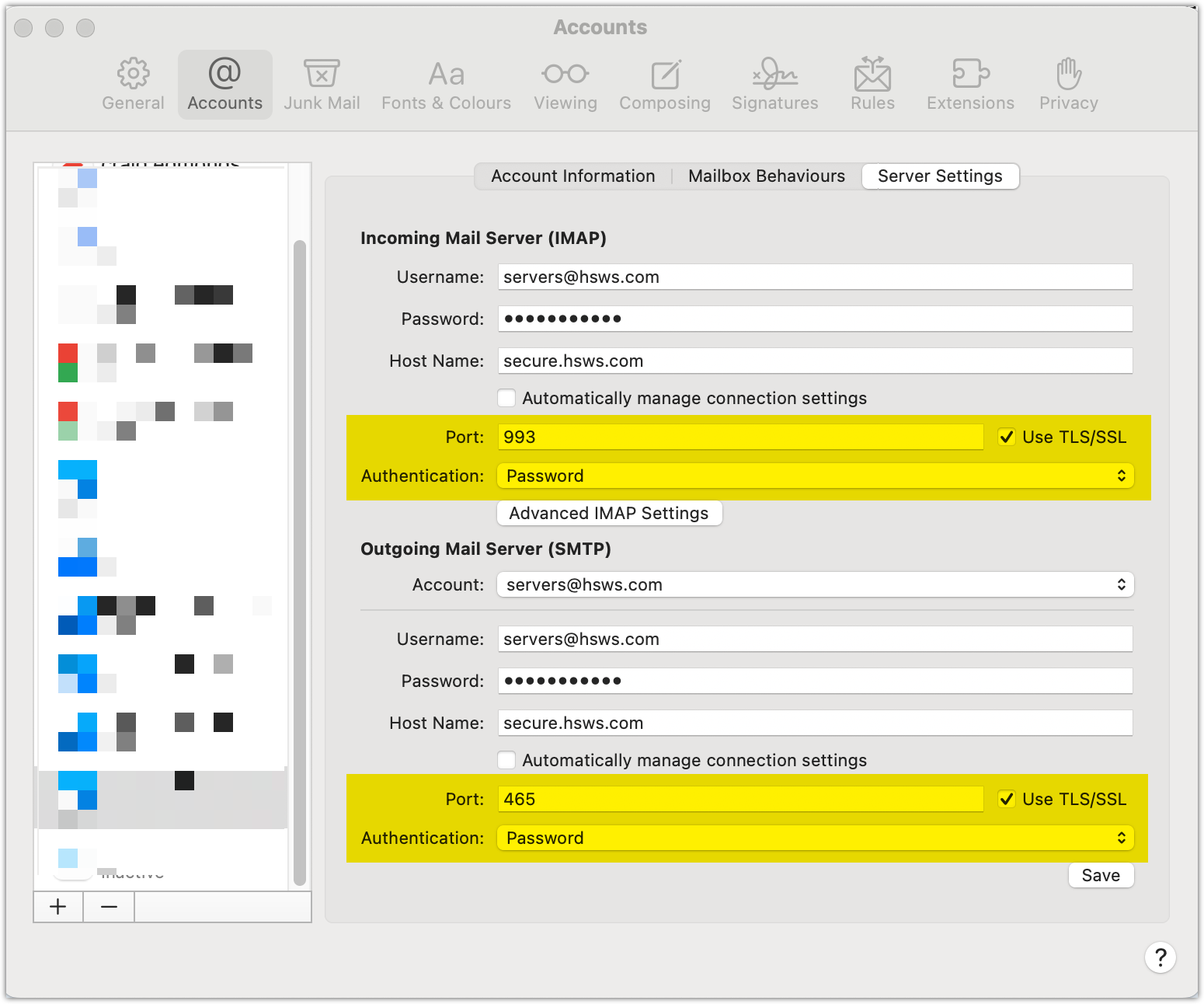
Below is a typical example of a MacMail settings screen to work with our SmarterMail Mail servers.
In the screenshot below, the place where most users slip up, is with the Ports and Authetication Type.
You can also log in to our EMAIL SETUP ASSISTANT which contains various settings and tutorials for email clients like Outloo, Thunderbird etc on Windows, MAC, iOS
INCOMING MAIL
SERVER: secure.hsws.com
PORT: 993
AUTH TYPE: TLS
TLS: Ticked
OUTGOING MAIL
SERVER: secure.hsws.com
PORT: 465
AUTH TYPE: TLS
TLS: Ticked
Click Here to See Port Settings