
SmarterMail includes a built-in migration tool that can connect directly to another email account and copy emails into your mailbox.
This process works with most standard IMAP email accounts and is often the quickest way to transfer existing emails from another hosting provider into your new SmarterMail account.
Table of Contents
1. Before You Begin
- Email address (username)
- Password
- Incoming mail server hostname
- Confirmation that IMAP access is enabled
It is recommended that you verify the username and password by logging into the source mailbox before beginning the migration.
2. Open the Connectivity Settings
Log in to your SmarterMail webmail account.
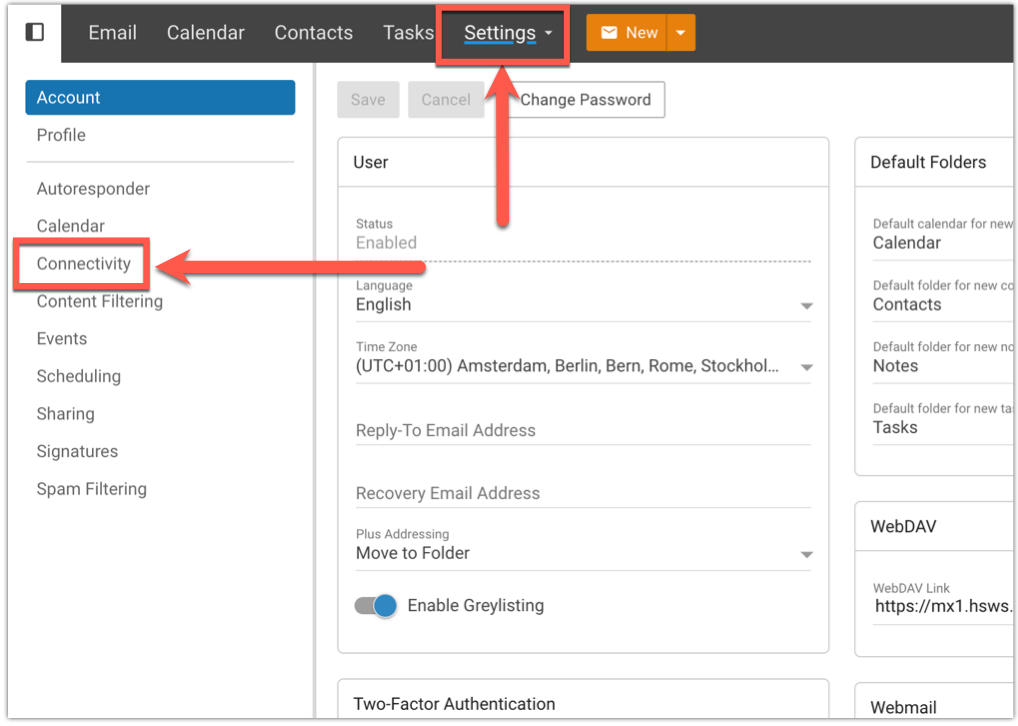
From the left-hand menu, navigate to Settings > Connectivity.
3. Open the Migration Tool
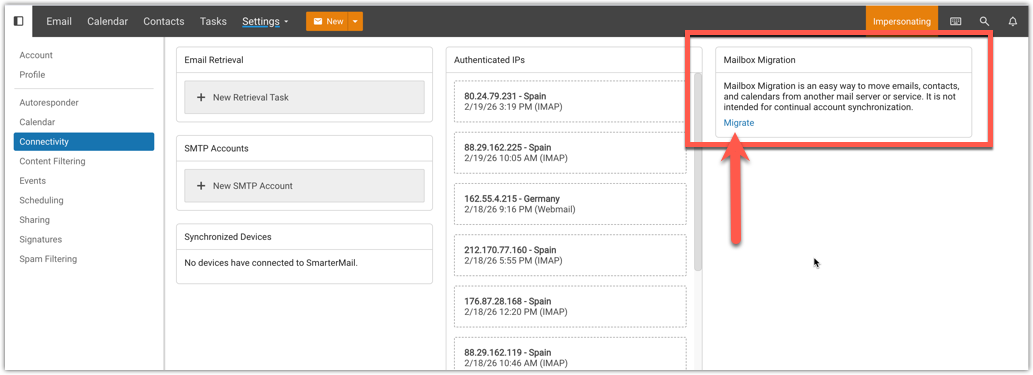
Within the Connectivity section you will find the Migration option.
This tool allows SmarterMail to connect directly to another mailbox and import messages into your account.
4. Select the Migration Type
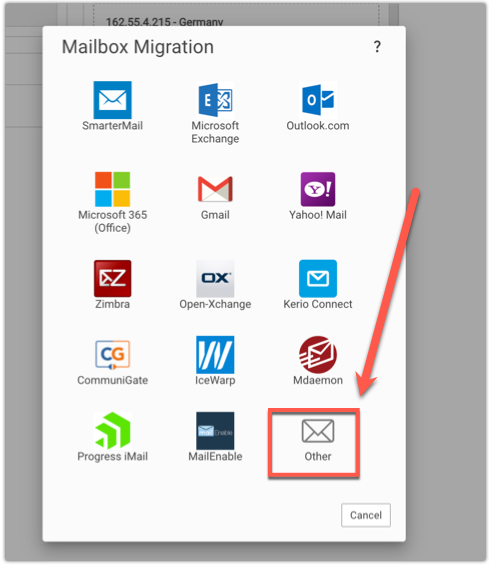
If you are migrating from another standard email provider using IMAP, select Other from the list of available migration options.
This option is compatible with most hosting providers and email platforms.
5. Enter Your Existing Mailbox Details
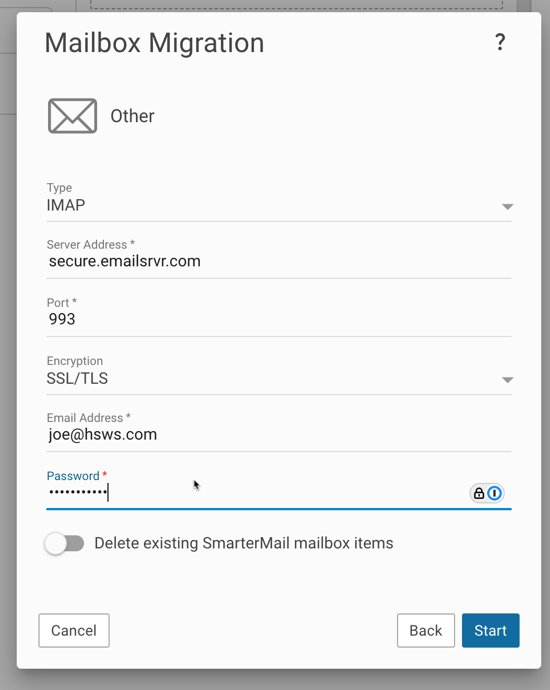
Enter the connection details for the mailbox you wish to import from.
This will normally include:
- Email address
- Password
- Mail server hostname
Once all information has been entered, click Start to begin the migration.
SmarterMail will connect to the source mailbox and begin copying messages into your account.
6. Migration Completion
The time required to complete the migration will depend on the size of the source mailbox and the speed of the source server.
Small mailboxes may complete within a few minutes, while larger mailboxes containing many years of email may take several hours.
Once the migration has finished, your emails should appear within the appropriate folders inside SmarterMail.