
This guide explains how to pay your JUCRA Digital invoice using PayPal through our client billing system.
Provider: JUCRA Digital SL
Last Updated: 15th May 2026
JUCRA Digital allows invoices to be paid securely through PayPal using our online client billing system.
Before You Start: You will normally need access to your JUCRA client account. In most cases, your username will be the same email address where your invoice was originally sent.
Table of Contents
1. Log In to the Billing System
Log in to the JUCRA billing system here:
2. Open Outstanding Invoices
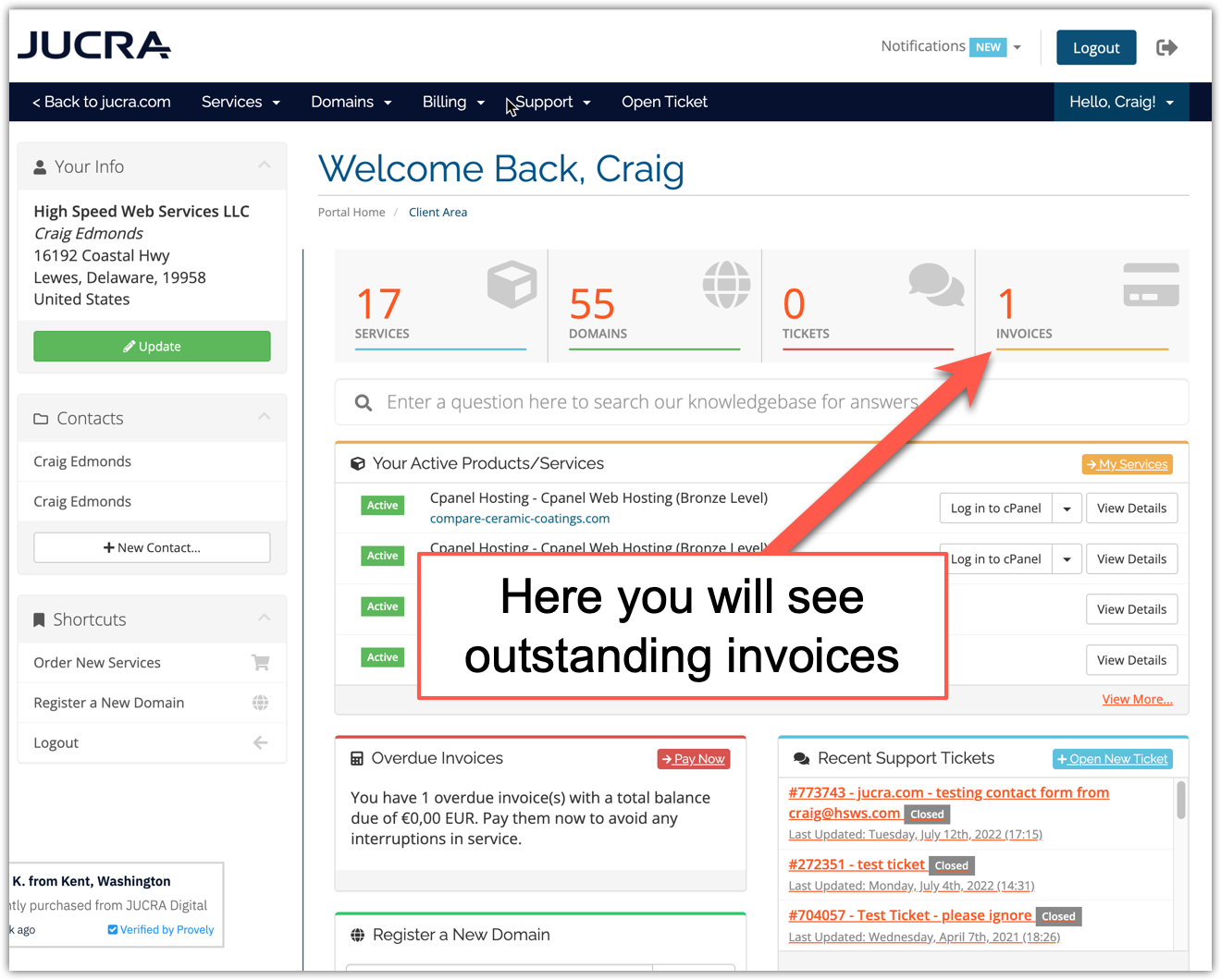
After logging in, you will see a dashboard containing your account information and any outstanding invoices.
Click the outstanding invoices section to continue.
3. Select the Invoice
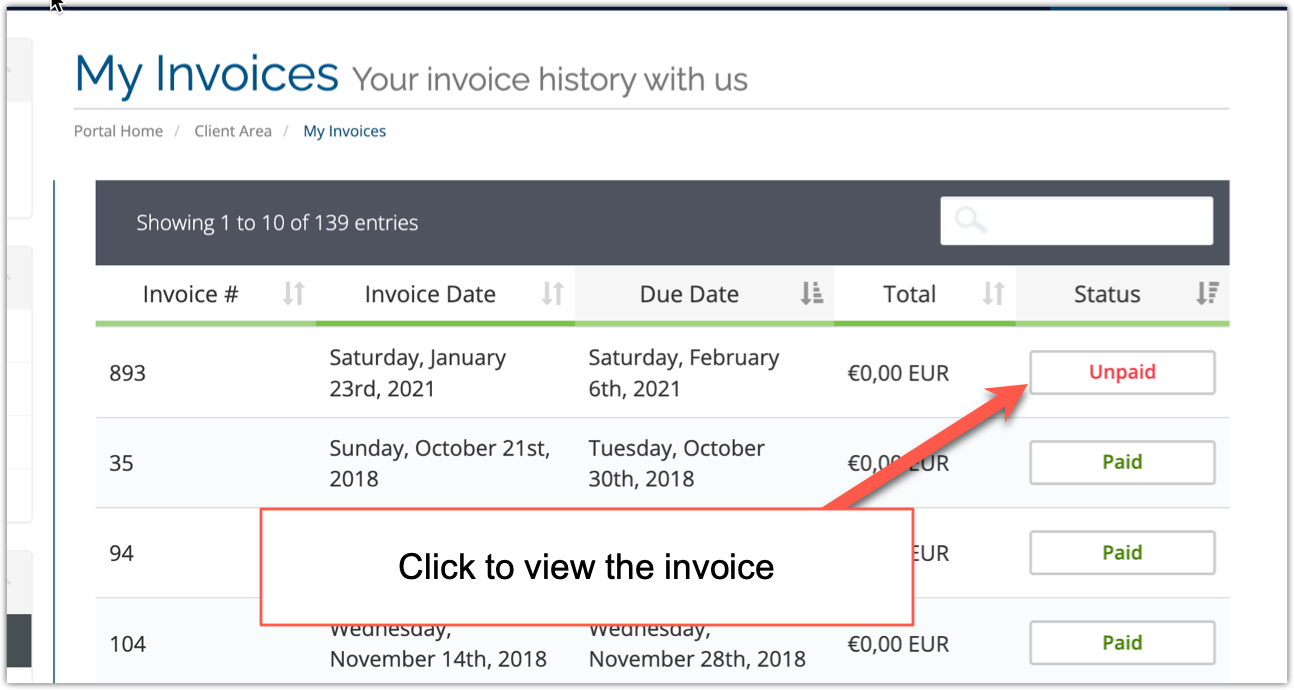
You will now see a list of your unpaid invoices.
Click the invoice you wish to pay.
4. Choose PayPal as Payment Method
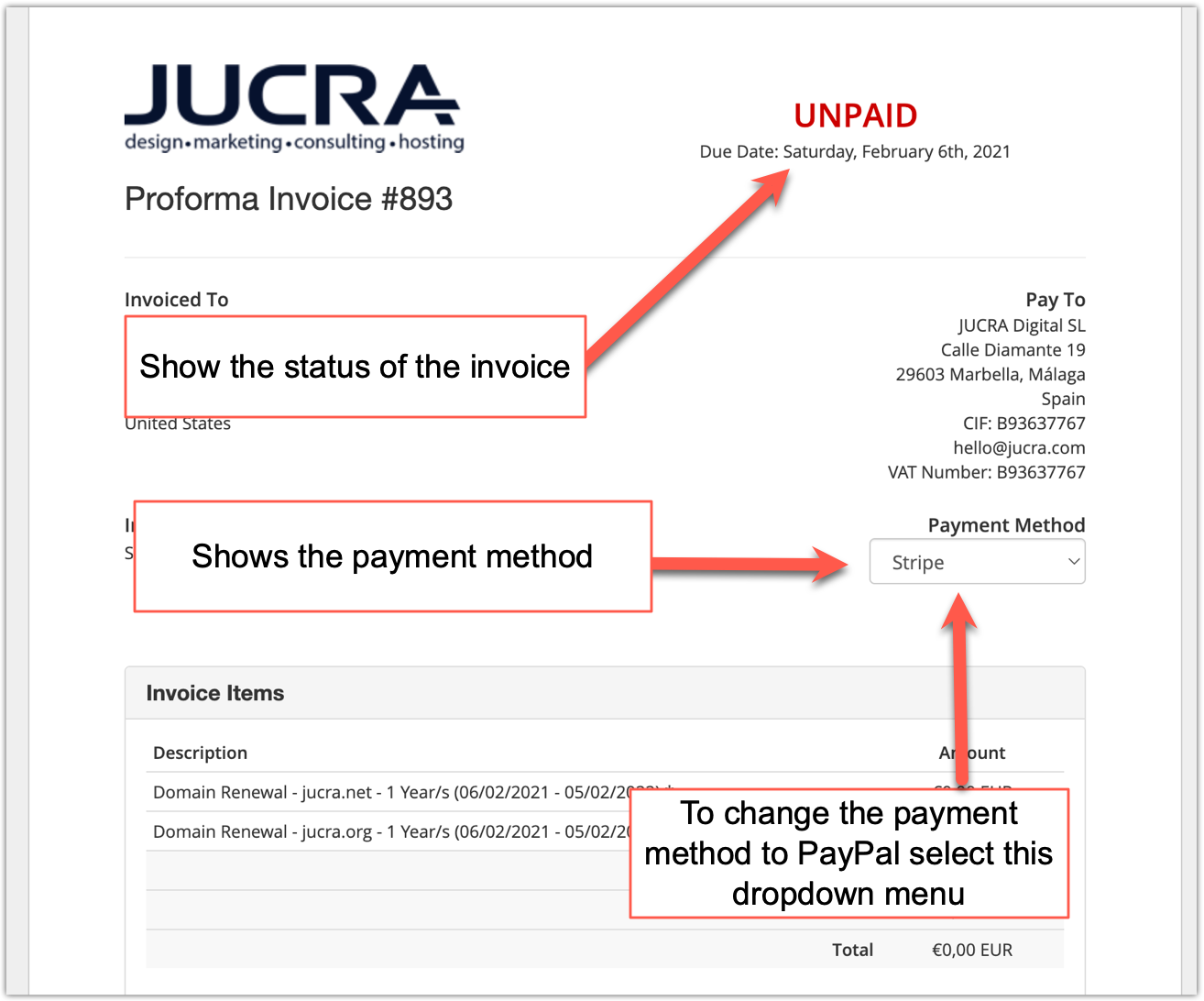
When viewing the invoice, you can change the payment method using the payment method dropdown menu.
Select PayPal as the payment method.
5. Click Pay Now
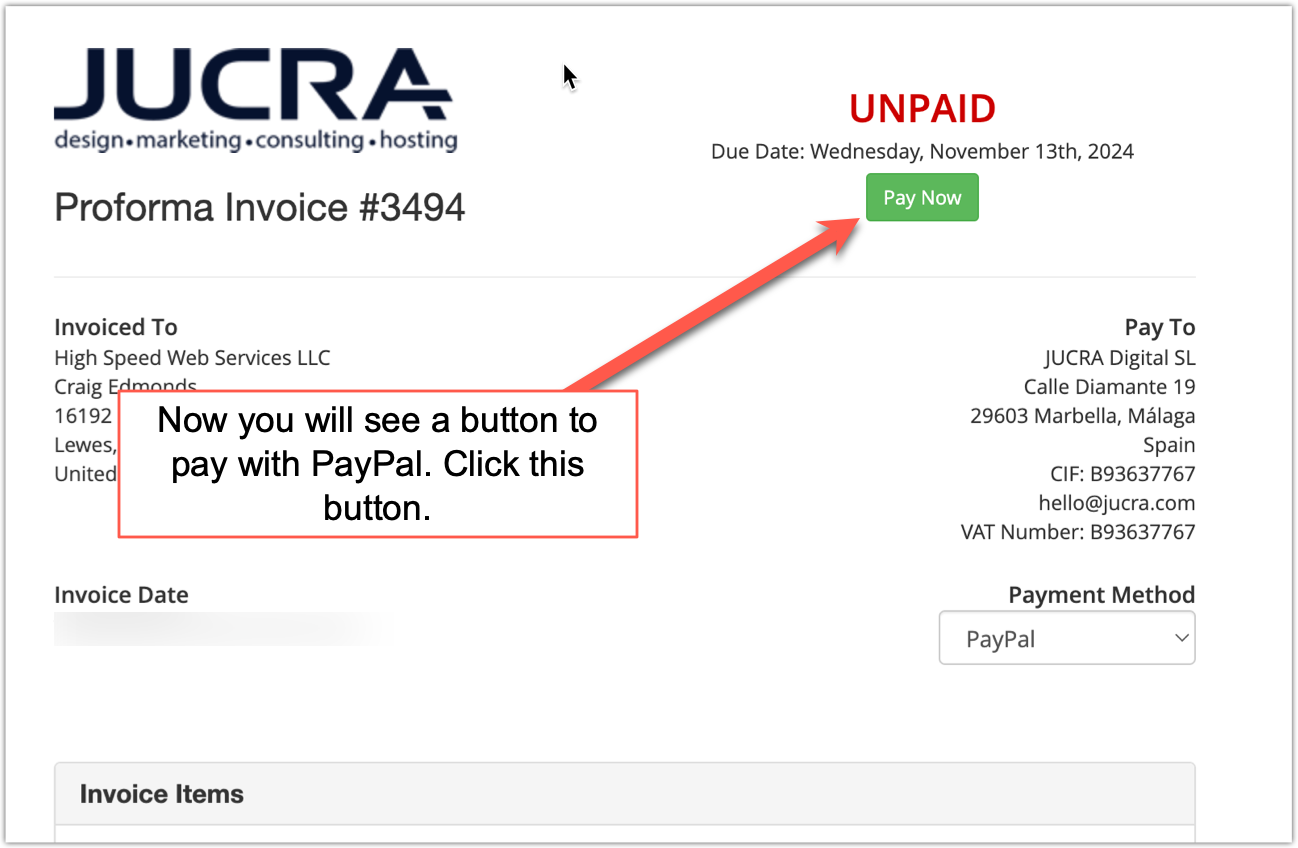
Once PayPal has been selected as the payment method, click the Pay Now button.
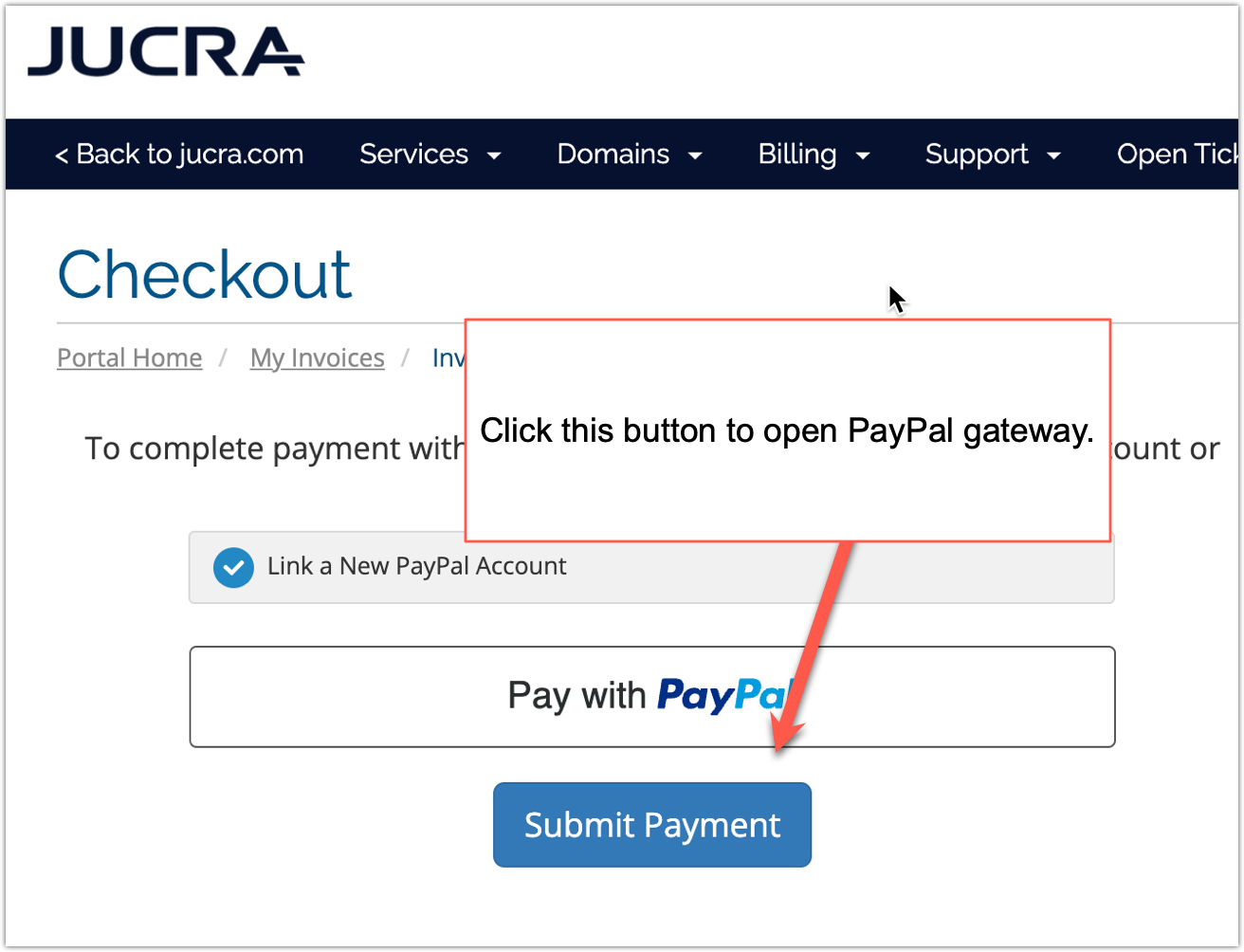
6. Complete PayPal Checkout
You will now be shown the PayPal payment page.
From there you can either:
- Log in to an existing PayPal account
- Use guest checkout where available
- Pay using supported payment methods through PayPal
7. Payment Confirmation
Follow the instructions shown on the PayPal website to complete payment.
Once PayPal confirms successful payment:
- You will normally be redirected back to the JUCRA billing system
- The invoice should automatically update as paid
- Associated services may renew automatically where applicable
That’s it — your payment is complete.
8. Important Notes
- You normally need a valid JUCRA client account to access invoices online.
- Invoice payment status updates automatically after successful PayPal confirmation.
- PayPal processing times are usually immediate but may occasionally be delayed for verification checks.
- If the invoice still appears unpaid after payment, please contact JUCRA support.
- Always ensure you are logged into the correct client account before making payment.