How to Prevent Legitimate Emails Going to Your Junk Mail Folder
Modern spam filtering systems analyse hundreds of different signals when deciding whether an email should be delivered to your inbox or junk folder. Even emails from suppliers, customers, colleagues, or contacts you have received messages from previously can occasionally be classified as junk.
The methods below will help ensure future emails from trusted senders are delivered directly to your inbox.
Table of Contents
1. Automatic Trusted Sender Learning
Our email platform now includes Automatic Trusted Sender Learning.
When you send an email to an external recipient, the recipient's email address is automatically added to your domain's trusted sender list. This means that future emails received from that person will be recognised as trusted and will bypass most spam filtering checks.
For example:
- You send an email to supplier@example.com.
- Within approximately 5 to 10 minutes, that email address is automatically added to your domain's trusted sender list.
- Future emails from supplier@example.com are significantly less likely to be delivered to Junk Email.
This feature works automatically and requires no configuration.
2. Add the Sender to Your Contacts
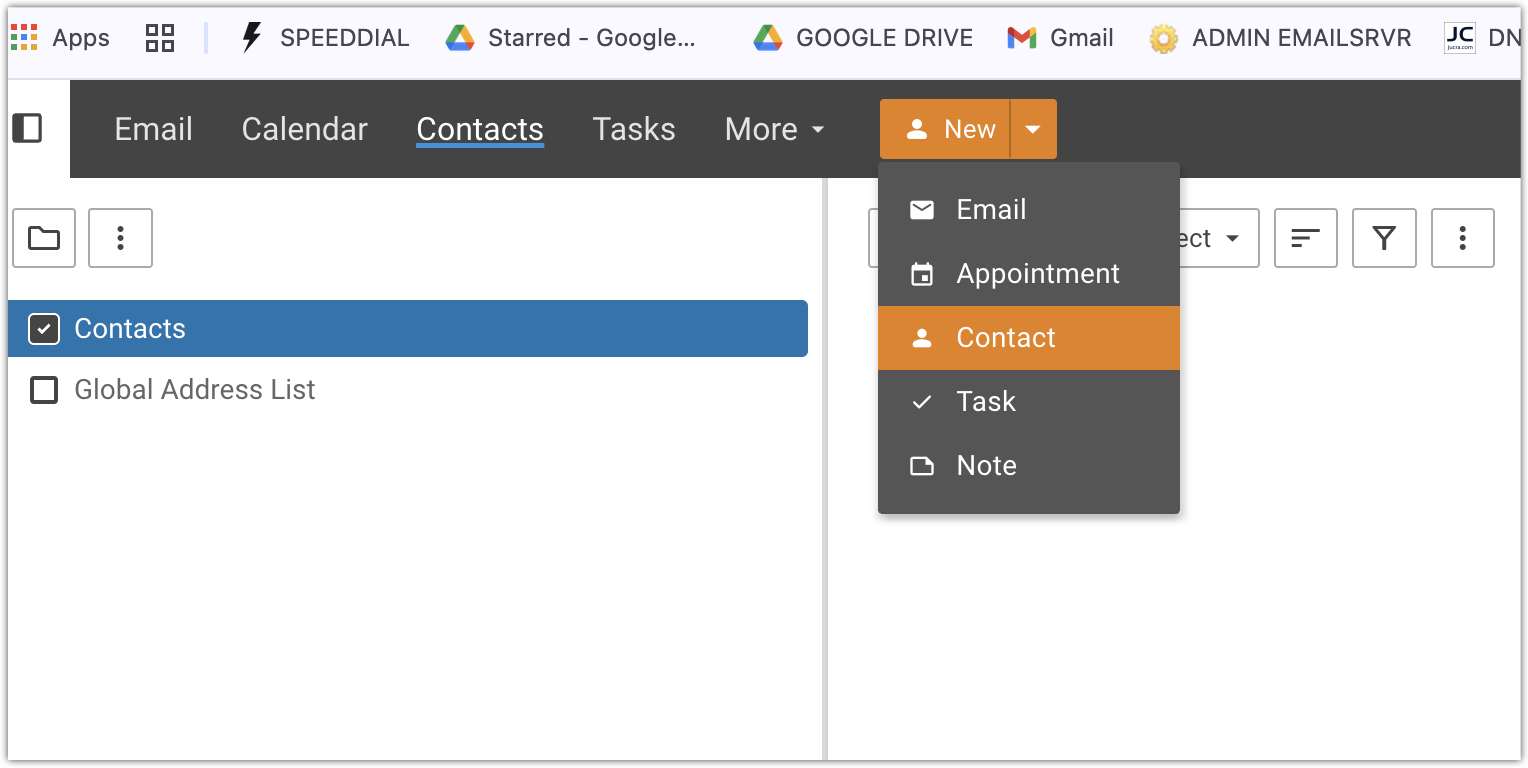
The easiest way to ensure future emails from a sender reach your inbox is to add them to your Contacts list.
Once a sender has been added as a contact, SmarterMail will automatically recognise them as a trusted sender and future messages from that person will bypass most spam filtering checks.
3. Trust the Sender
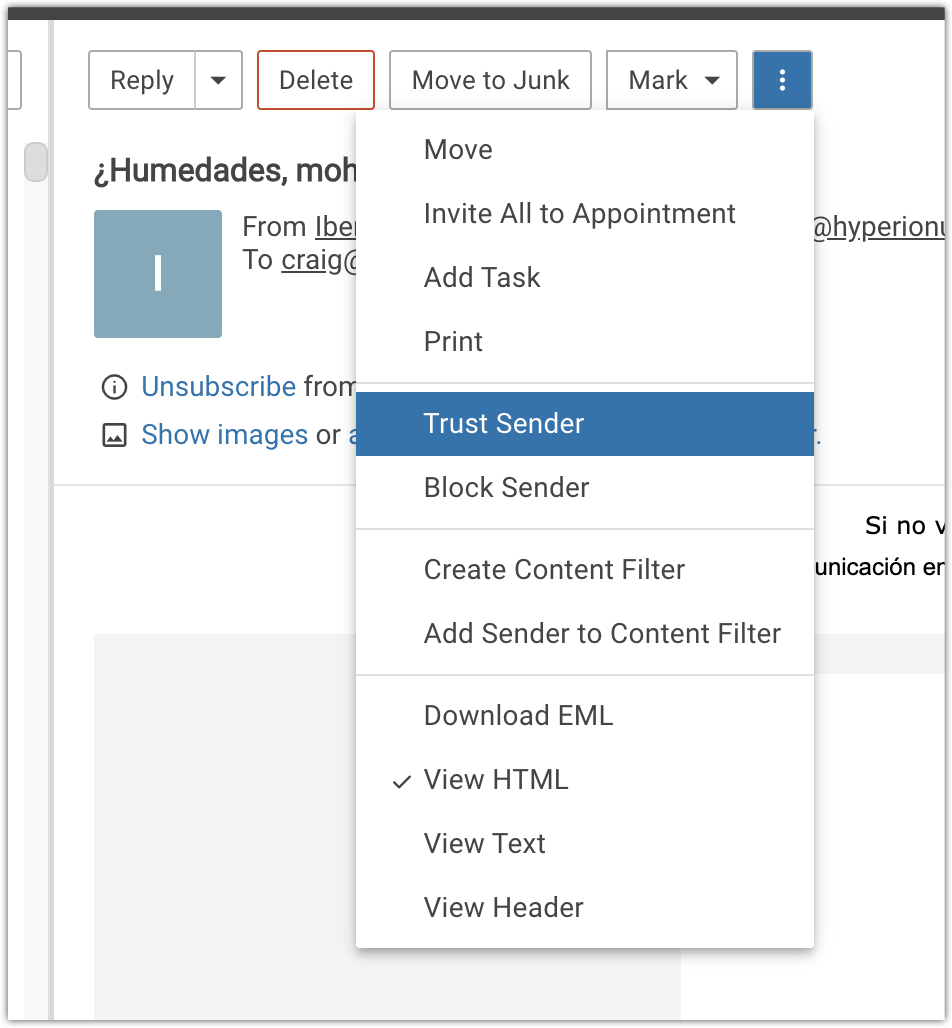
If an email has already arrived in your Junk Email folder, you can explicitly trust that sender.
Open the email in SmarterMail Webmail, click the three-dot menu and select Trust Sender.
This will add the sender to your trusted sender list and future emails from that sender will be delivered directly to your inbox.
4. Add Trusted Email Addresses and Domains
If you regularly receive emails from a particular company, supplier, customer, or organisation, you can add either a specific email address or an entire domain name to your trusted sender list.
Examples:
- person@example.com - Trusts a single sender.
- example.com - Trusts all email addresses from that domain.
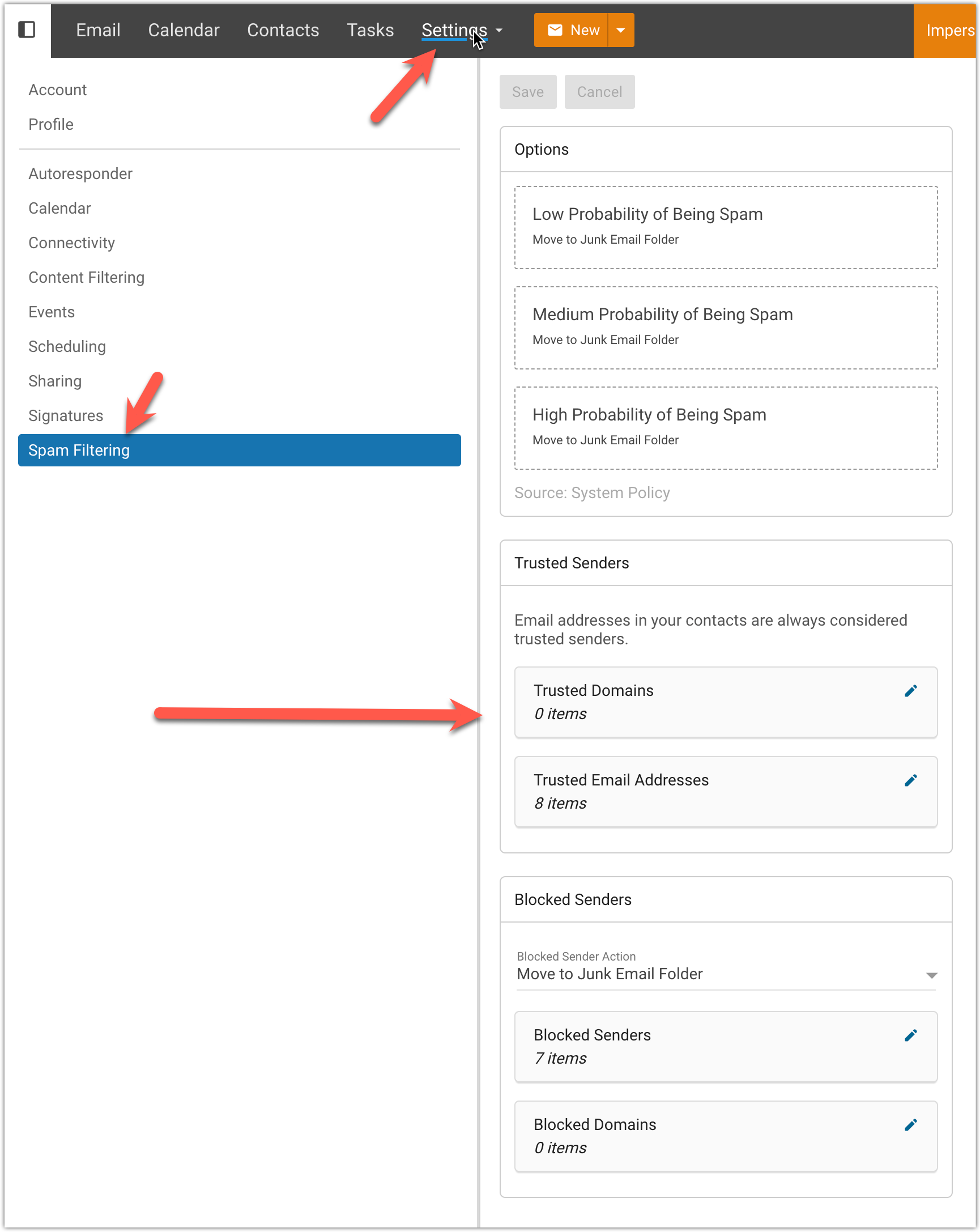
To manage your trusted senders, go to Settings > Spam Filtering within SmarterMail Webmail and add the required email addresses or domains.