
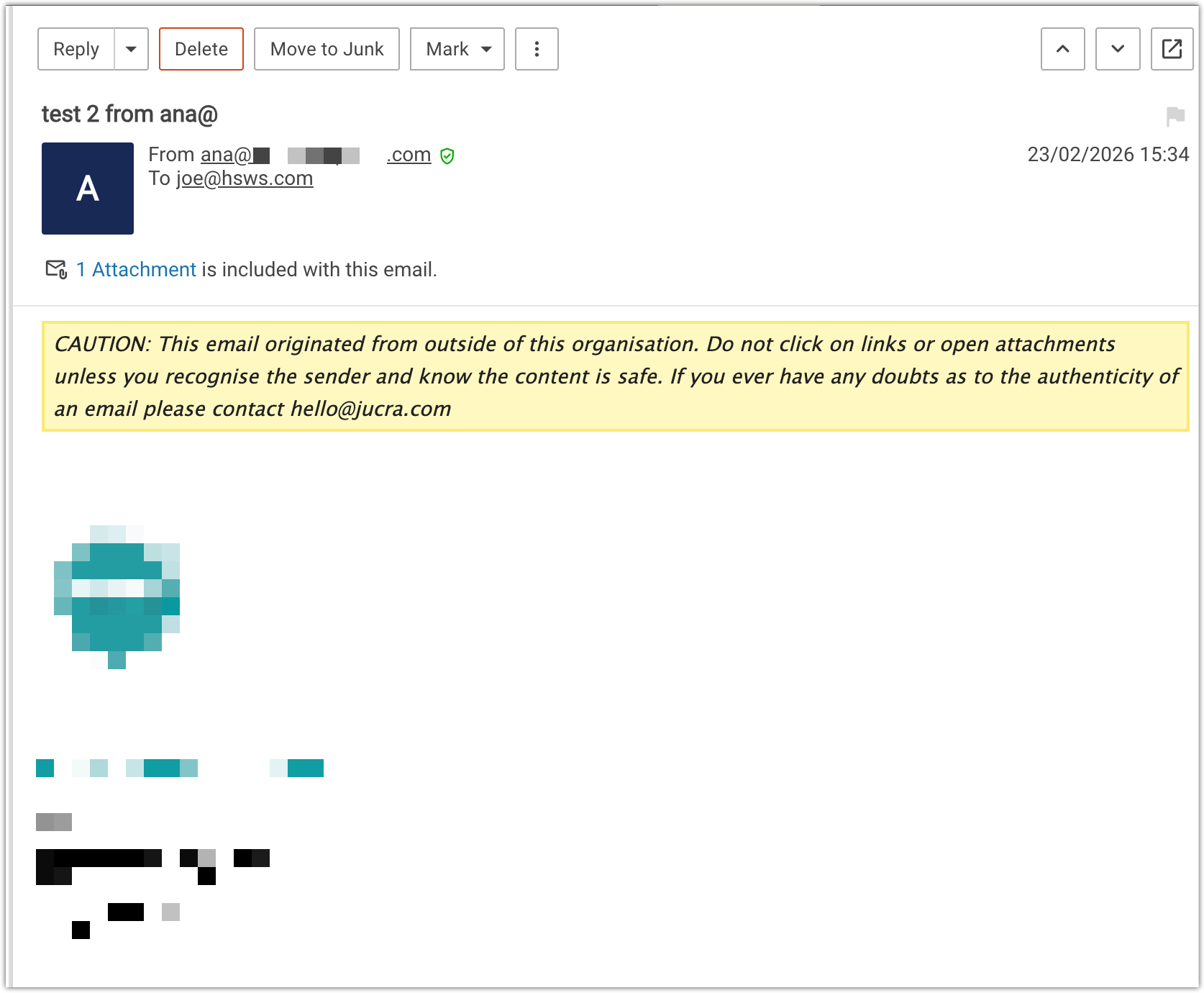
You are reading this article because when you receive an incoming email, there is a yellow banner in the top of the email.
Table of Contents
- Overview
- Why This Banner Appears
- Why This Is Important
- Enterprise-Grade Security Feature
- Can This Be Disabled?
- Summary
Overview
You may notice that some incoming emails display a yellow warning banner at the top of the message stating that the email originated from outside your organisation.
This banner is a security feature designed to help protect users from phishing attacks and fraudulent emails.
Why This Banner Appears
The warning banner appears when an email is received from a sender outside of your domain.
For example:
-
Someone from gmail.com
-
Someone from another company
-
Any email address not hosted within your own domain
Even if the email is legitimate, the system will still display the banner because the sender is external.
Why This Is Important
Email impersonation and phishing attacks are extremely common.
Attackers often attempt to send emails pretending to be:
-
Your manager
-
Your accountant
-
Your bank
-
Your suppliers
-
Your IT department
The yellow banner provides a clear visual reminder that the email came from outside your organisation so users can be more cautious when:
-
Clicking links
-
Opening attachments
-
Following payment instructions
Many organisations such as banks, law firms, and large corporations use the same visual warning system to reduce the risk of email fraud.
This helps users quickly identify emails that are not internal communications.
Enterprise-Grade Security Feature
This type of external email warning is commonly found in enterprise email platforms, including:
-
Microsoft 365
-
Google Workspace
-
Corporate Exchange servers
Your email system includes this at no additional cost as part of its security protections.
Can This Be Disabled?
Yes.
If you prefer not to display the external email warning banner, it can be disabled for your mailbox or domain.
However, we generally recommend keeping it enabled as it provides an additional layer of protection against phishing attacks.
To request removal of the banner:
-
Open a support ticket by sending an email to: hello@jucra.com
-
Confirm the email address where the banner should be disabled.
Our support team can then adjust the setting for your account.
Removing the banner at Server Level (Server Admin)
1. Go to: Domains > Domain > General
2. Find the card called: External Senders
3. Uncheck the radio button called: Override external sender settings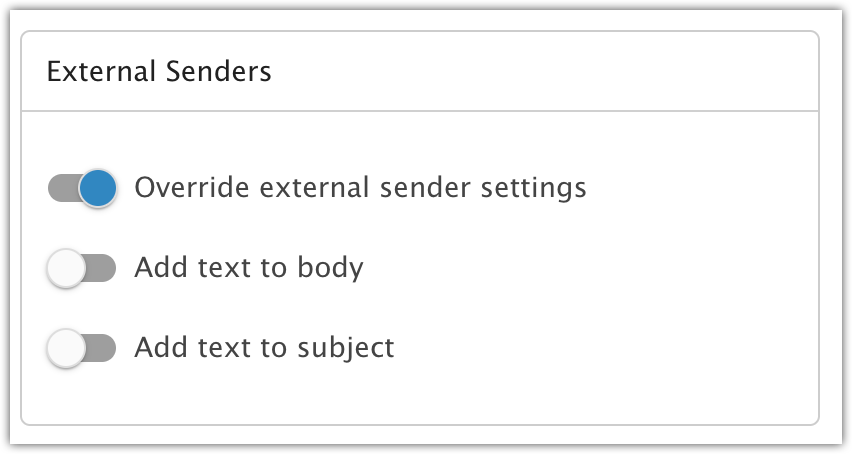
Summary
-
The yellow banner warns when an email comes from outside your organisation
-
It helps protect users from phishing and impersonation attacks
-
This security feature is widely used by banks, legal firms, and large companies
-
It is included free of charge as part of your email service
-
It can be disabled on request via support ticket