
Table of Contents
Scope of Our Support
As your email hosting provider, our responsibility is to:
- Receive incoming emails.
- Deliver emails to your mailbox.
- Maintain the availability and operation of the mail server.
- Provide access to your mailbox through Webmail.
- Investigate email delivery issues where messages are not reaching the mailbox.
If an email is visible in Webmail, we consider the email delivery process to be complete.
What We Do Not Support
We do not provide support for third-party email software or local device configuration, including but not limited to:
- Microsoft Outlook
- Apple Mail
- Mozilla Thunderbird
- Mobile phone email applications
- Windows, macOS, Android, or iOS device issues
- Local antivirus or firewall software
- Corrupt Outlook profiles or PST/OST files
- Email synchronisation issues
- Local email rules, filters, or folders
These applications and devices are outside of our control and are typically managed by the customer, their internal IT department, or a third-party IT provider.
How We Determine Successful Delivery
An email is considered successfully delivered when it is present in the mailbox on our mail server and visible through Webmail. 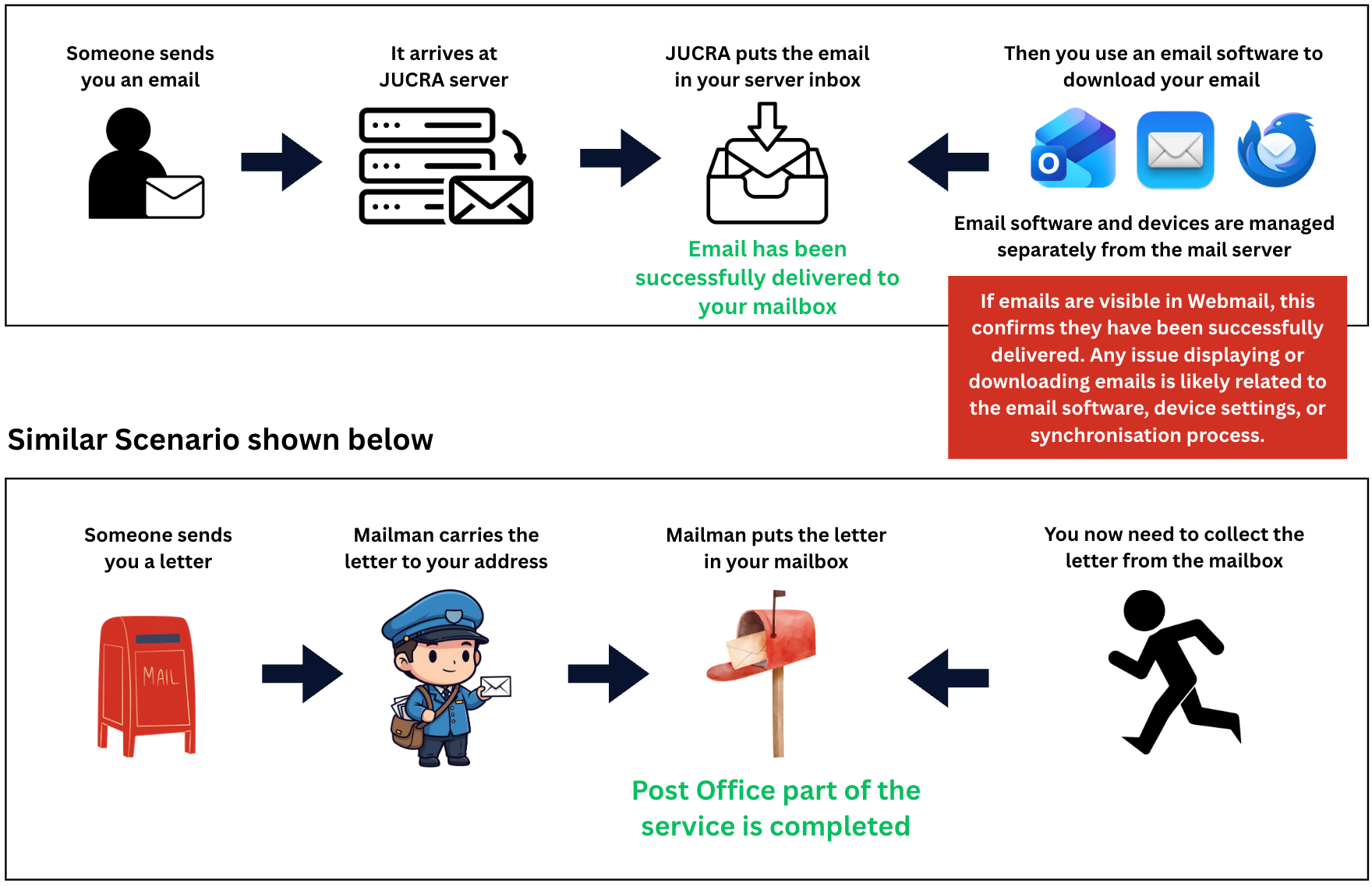
Example
If a customer reports that they have not received an email, our first step is to verify whether the message exists within the mailbox.
- If the email is not present in the mailbox, we will investigate the delivery issue.
- If the email is present in the mailbox and visible in Webmail, the email has been successfully delivered.
- Any issue displaying or downloading the email into Outlook or another email application falls outside the scope of our support.
Recommended Next Steps
If emails are visible in Webmail but not in your email software, we recommend contacting your IT provider or the person responsible for maintaining your devices and software.